
Features / Add to your website
Let people book
on your own site.
Copy a small piece of code and paste it into your website. Visitors book with you right on your page.
Start free. No credit card required.
Already have an account? Sign in
Two ways to show your booking page on your website.
On the page or behind a link.
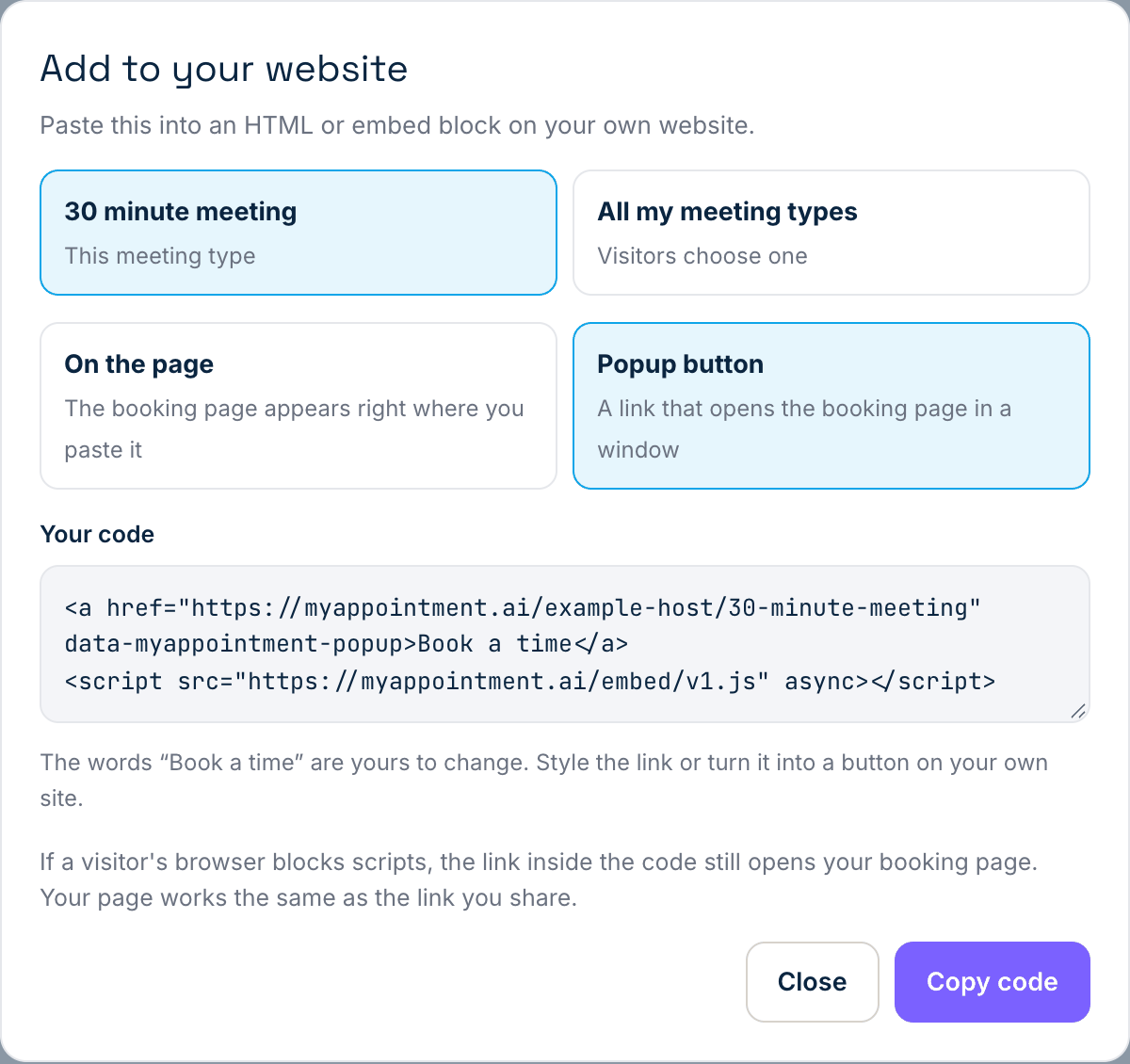
Show your booking page right where you paste the code, or add a Book a time link that opens it in a window. You can change the words on the link, and style it as a button on your own website.
- On the page, or a link that opens it in a window
- One meeting type, or all of them so visitors choose
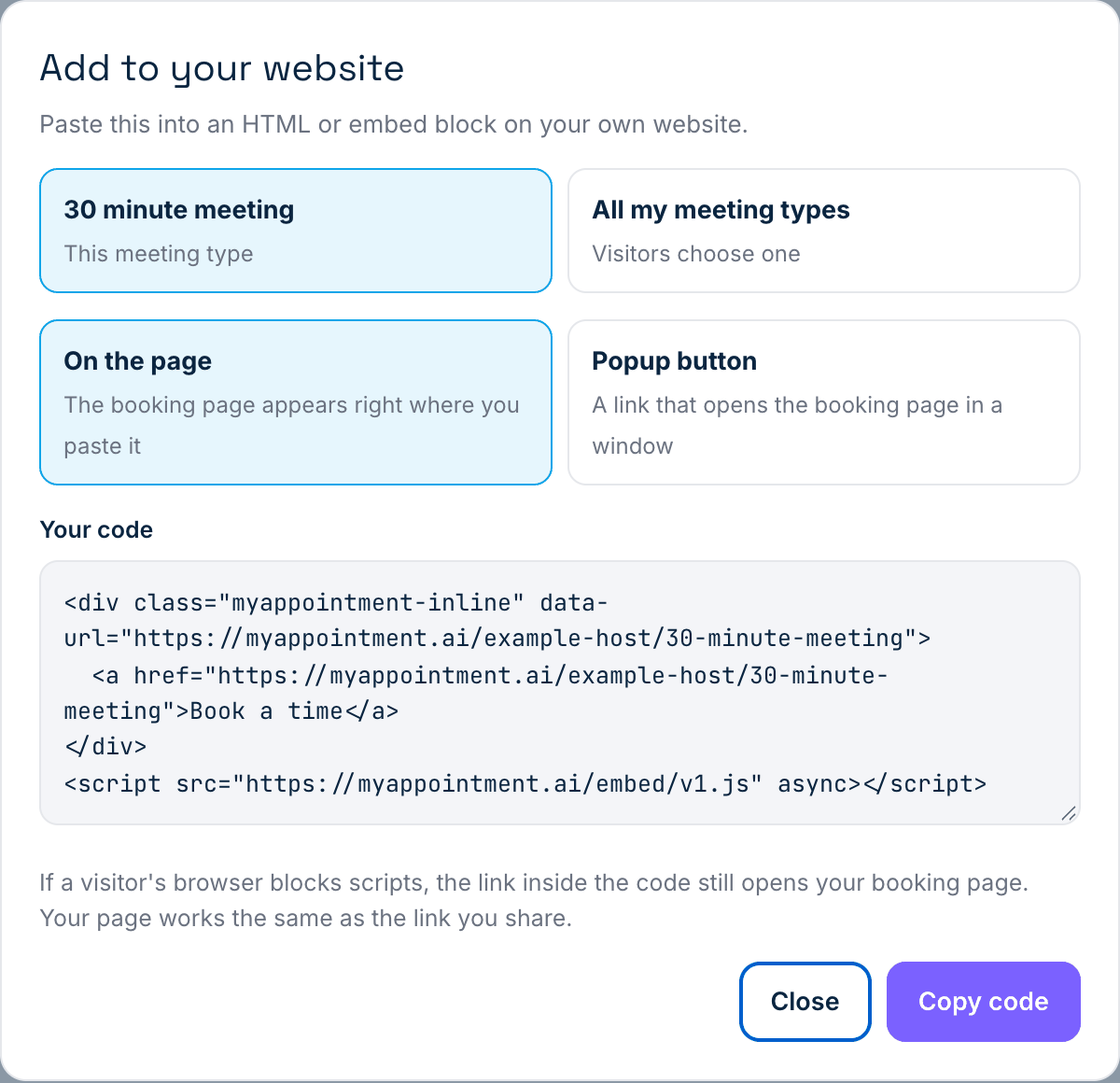
One piece of code.
Choose how it should look, click Copy code, and paste it into an HTML or embed block in your website editor.
- A plain Book a time link is inside the code, so a visitor whose browser blocks scripts can still book
Nothing is saved or sent when you copy. The code we give you only shows booking pages from myappointment.ai; an address on any other site is ignored. We have not tested specific website builders; you need a place to paste an HTML or embed block.
Three steps. That’s it.
Open Meeting types and click Embed.
Find it on the meeting type you want to show.
Choose what to show and how it looks.
On the page, or a popup button.
Paste the code into your website.
Into an HTML or embed block.